


 Written by kemotv
 Imagine having over 20,000 live TV channels and 50,000+ VOD titles at your fingertips. Kemo IPTV brings a new way to enjoy your favorite shows and movies.
With Kemo IPTV, you get a smooth viewing experience. A dedicated team is ready to help via WhatsApp at wa.me/15064364833.
As a user, you’ll find a vast selection of channels and content. This makes Kemo IPTV a top choice for reliable IPTV services. Let’s explore how Kemo IPTV works and its features.
Kemo IPTV is a new way to watch TV that’s different from old TV services. It uses the latest in IPTV technology. IPTV stands for Internet Protocol Television. It sends TV shows over the internet, not through cables or satellites.
IPTV uses a fast internet connection to stream video. Kemo IPTV uses CDN (Content Delivery Network) and HTTP Live Streaming (HLS) to stream smoothly. This means you get to watch your favorite shows without the usual TV problems.
Kemo IPTV has many features that make watching TV better. Some of these include:
| Feature | Description | Benefit |
|---|---|---|
| Extensive Channel Lineup | Access to a wide range of channels | More options for entertainment |
| High-Definition Streaming | Streaming in high definition | Better picture quality |
| User-Friendly Interface | Easy navigation through the IPTV menu | Simplified user experience |
For more information, you can visit our home page at https://kemoiptvv.com/.
Starting your Kemo IPTV journey is easy. Just pick a subscription plan that fits your viewing needs.
Subscribing to Kemo IPTV is simple. First, visit our website at https://kemoiptvv.com/#pricing to see our plans. Choose the one that meets your needs. Then, create an account by giving us some basic info.
Steps to Subscribe:
Kemo IPTV works on many devices, so you can watch your favorite shows anywhere. It’s good for smart TVs, mobile devices, and streaming devices like Amazon Fire Stick.
Compatible Devices:
| Device Type | Specific Devices | Compatibility Status |
|---|---|---|
| Smart TVs | Samsung, LG, Sony | Fully Compatible |
| Mobile Devices | iOS, Android Smartphones | Fully Compatible |
| Streaming Devices | Amazon Fire Stick, Roku | Fully Compatible |
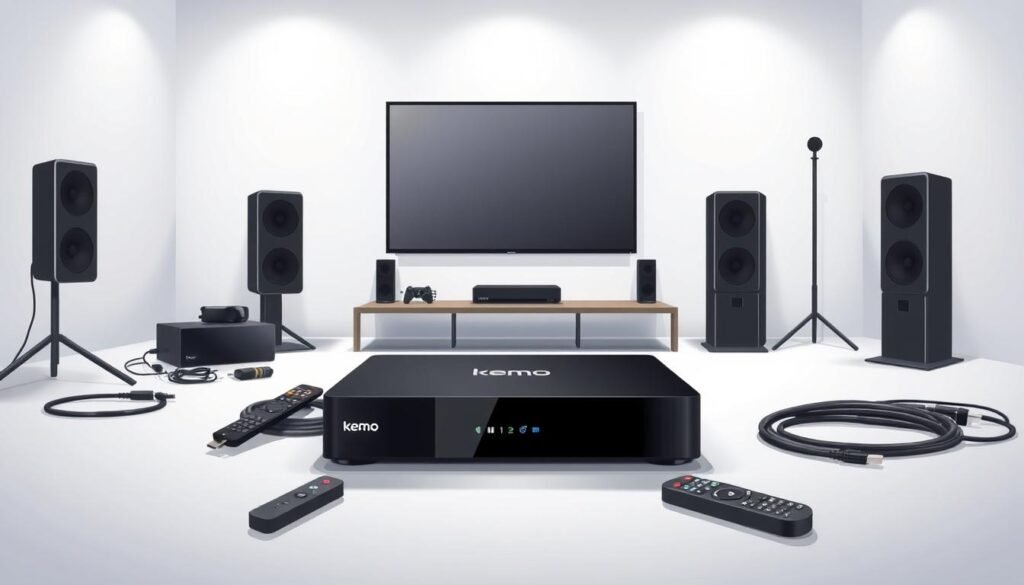
By following these steps and knowing which devices work with Kemo IPTV, you can start enjoying lots of channels and content on your preferred device.
The setup for Kemo IPTV varies by device. Our guide will help you through it step by step. Make sure to follow the specific instructions for your device for a smooth setup.
Kemo IPTV works with many devices like smart TVs, Android devices, and Fire TV Stick. Below, you’ll find easy-to-follow guides for each device type.
Smart TV Installation
Android Device Installation
Fire TV Stick Installation
Even though Kemo IPTV is easy to use, some users might face problems. Here are common issues and how to fix them:
| Issue | Solution |
|---|---|
| App not found in app store | Check that your device is compatible with Kemo IPTV. Try searching for alternative app names or contact support via WhatsApp. |
| Buffering or poor stream quality | Ensure your internet speed meets the minimum requirements. Restart your router or try a wired connection for better stability. |
| Login or subscription issues | Verify your subscription status and login credentials. If issues persist, contact Kemo IPTV support for assistance. |
For more help, contact us via WhatsApp. We’re ready to assist you in enjoying Kemo IPTV without any hassle.
The Kemo IPTV interface is made for easy use, giving you a smooth viewing experience. You can quickly find your favorite channels and content by navigating through different sections.
Using the Kemo IPTV menu is easy. It’s divided into main categories like Live TV, Movies, and Series. You can use your remote or device to explore these sections.
Key features of the menu include:
Kemo IPTV lets you tailor your viewing experience. You can make a personalized home screen by adding your favorite channels and content to your favorites list.
Customization options include:
By learning how to navigate and customize the Kemo IPTV interface, you can improve your user experience. Enjoy a more personalized streaming service.
Kemo IPTV offers a wide range of channels. You can watch sports, entertainment, and international content. This variety lets you enjoy your favorite shows, sports, and news from home.
Kemo IPTV has a great selection of channels for all interests. You can find:
Kemo IPTV is available worldwide. This means you can watch your favorite channels and content no matter where you are. Whether you’re in the U.S. or abroad, you’ll have a great viewing experience.
Remember, while Kemo IPTV is global, the channels and content might change based on your location. This is due to licensing agreements.
To enjoy uninterrupted streaming with Kemo IPTV, it’s crucial to understand the factors that affect streaming quality. A seamless viewing experience depends on several key elements. These include your internet connection and device capabilities.
Your internet speed plays a significant role in determining the quality of your streaming experience. For optimal streaming, a minimum internet speed of 25 Mbps is recommended for HD content. If you’re planning to stream in 4K, a speed of 50 Mbps or higher is advised. This ensures a smooth viewing experience without buffering.
To get the most out of Kemo IPTV, follow these tips for an optimal streaming experience:
By following these guidelines, you can significantly enhance your streaming quality. Enjoy a more satisfying viewing experience with Kemo IPTV.
Kemo IPTV is great because it lets you watch on many devices at once. You can enjoy your favorite TV shows and channels on different devices. This makes watching TV even better.
Kemo IPTV lets you connect many devices at once. You can have up to unlimited streams, depending on your plan. It’s important to check your plan details to know the limits.
Key guidelines to keep in mind:
By following these tips, you can get the most out of Kemo IPTV on many devices.
It’s important to sync your viewing across devices for a smooth experience. Kemo IPTV makes it easy to pick up where you left off on another device.
To synchronize your viewing:
This feature is super helpful for shows you can’t finish in one go. You can start again on another device where you left off.
Getting help with Kemo IPTV is easy. They have many support options. If you have technical issues or questions about your subscription, their team is ready to assist.
You can reach out to Kemo IPTV’s support in several ways. They offer 24/7 support via WhatsApp and email. This means you can get help anytime.
To contact them via WhatsApp, use this link: wa.me/15064364833. This way, you can quickly talk to a support person who can help with your questions.
Kemo IPTV also has a lot of online resources. These include FAQs and troubleshooting guides. They help you solve common problems and use your service better.
By using these online resources, you can often find answers to your questions quickly. This saves time and makes your viewing experience better.
Understanding Kemo TV’s pricing and subscription options is key to unlocking its full potential. Kemo TV offers a range of plans designed to cater to different viewing needs and preferences.
Kemo TV provides various subscription plans, including monthly, annual, and multi-year options. Each plan offers a unique set of features and benefits.
To explore the full range of plans and their features, you can visit the Kemo TV pricing page.
Kemo TV offers secure and convenient billing and payment options. You can choose from various payment methods, including credit cards and online payment platforms.
For the most current information on billing and payment options, it’s best to consult the official Kemo TV website or contact their customer support.
When you use Kemo TV, knowing the legal stuff is key. It makes sure you watch stuff the right way. This knowledge helps you use the service without any trouble.
Kemo TV lets you watch TV shows, movies, and live sports. But remember, this stuff is protected by laws. Kemo TV has the right to show this content. This means you can watch what you like without breaking the law.
Key Points to Consider:
To use Kemo TV legally, follow the service’s rules and copyright laws. Here’s how:
| Legal Consideration | Description | Best Practice |
|---|---|---|
| Copyright Compliance | Make sure your use of Kemo IPTV follows copyright laws. | Only watch content on approved devices and apps. |
| Licensing Agreements | Kemo IPTV has deals with content providers. | Don’t share your login or use unauthorized streaming devices. |
| User Responsibility | Users must use the service correctly. | Tell Kemo IPTV support if you see any unauthorized access or weird stuff. |
By keeping these legal tips in mind, you can enjoy Kemo TV. You’ll respect the rights of content creators and follow the law.
Kemo TV is changing how we watch TV with its easy-to-use interface and great features. Many people love it for its wide range of channels and top-notch streaming quality.
Users of Kemo TV love its affordability and versatility. It has lots of channels for all kinds of interests.
They also like how easy it is to use and customize. Plus, the high-quality streaming means no interruptions while watching your favorite shows and movies.
Kemo IPTV beats traditional cable TV in many ways. It’s super flexible. You can watch your favorite shows and movies on many devices, whenever you want.
| Feature | Kemo IPTV | Traditional Cable TV |
|---|---|---|
| Device Compatibility | Multiple devices supported | Limited to TV and specific devices |
| Streaming Quality | High-quality streaming | Variable quality depending on connection |
| Cost | Generally more affordable | Can be expensive with additional fees |
The table shows the main differences between Kemo TV and traditional cable TV. Kemo TV is more flexible and cheaper for your TV needs.
Kemo TV is getting ready for big changes to make your viewing better. It’s all about keeping up with the fast-changing streaming world. Kemo TV wants to lead the way.
New features are coming to make streaming smoother and easier. You’ll see better navigation and more content choices. This will make your IPTV experience even more personal.
Kemo TV stands out in a crowded streaming market. It’s all about quality and making customers happy. As more people want IPTV, Kemo TV is ready to grow and stay ahead.
Kemo TV is all about improving and keeping up with the streaming world. You can expect a better, more packed service soon. Get ready for top-notch entertainment.

Kemo IPTV – Fast & Stable Streaming Service Worldwide
2025-2026